
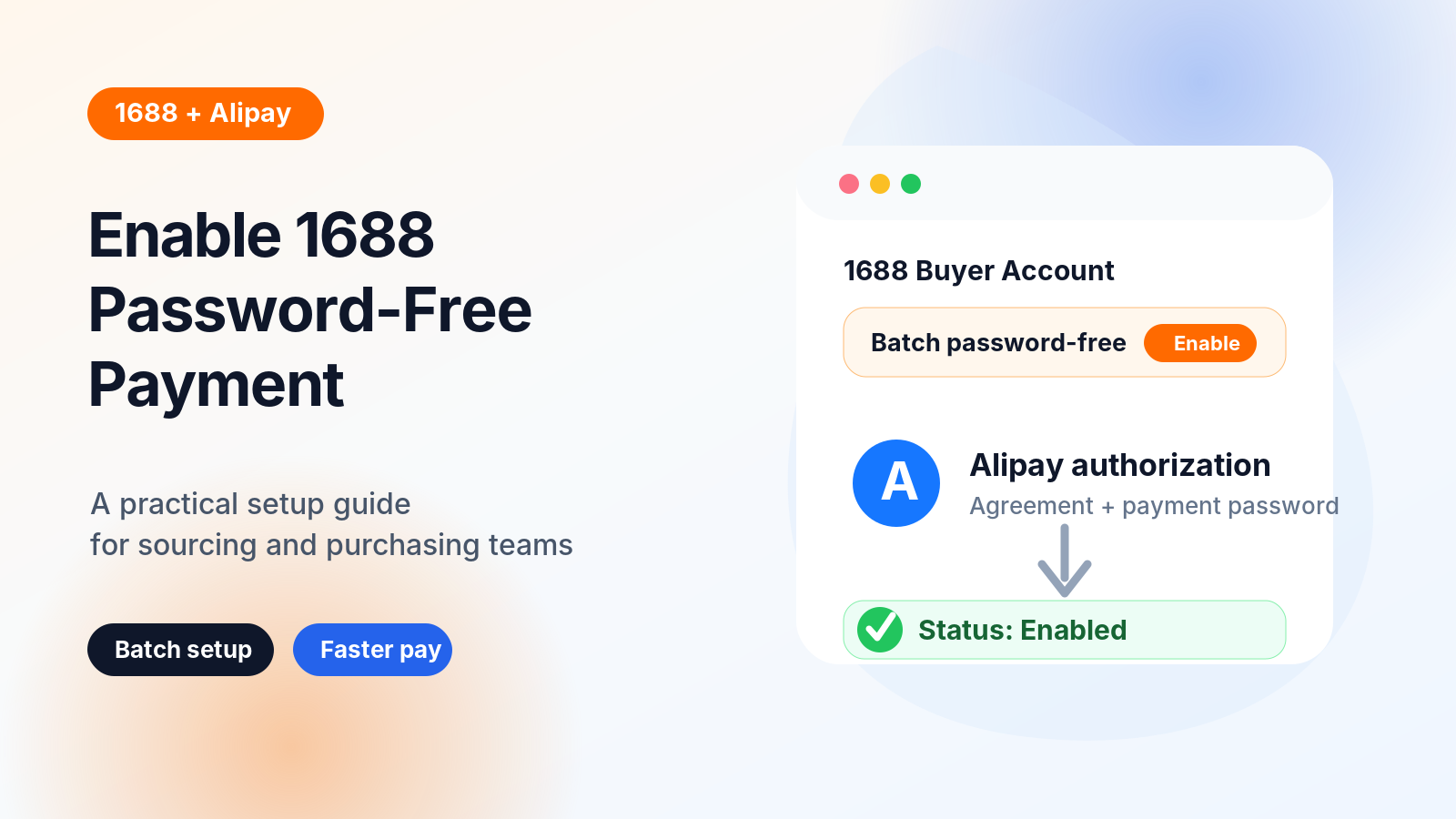
If you purchase from 1688 frequently, one of the most annoying bottlenecks is payment.
Every time you place an order, you may need to jump to Alipay, enter your payment password, confirm the transaction, and then return to 1688. For occasional buyers, this is acceptable. But for sourcing agents, dropshipping teams, or procurement businesses handling multiple 1688 orders every day, this process quickly becomes inefficient.
That is where 1688 password-free payment comes in.
Password-free payment allows your 1688 buyer account to complete eligible payments through Alipay without entering the payment password every single time. Once enabled, supported 1688 orders can be paid faster, especially in batch purchasing scenarios.
In this guide, I will show you how to enable password-free payment on 1688 step by step.
Why Enable Password-Free Payment on 1688?
For procurement teams, payment speed directly affects order processing efficiency.
Without password-free payment, your workflow may look like this:
Place order → Open Alipay → Enter password → Confirm payment → Return to 1688 → Repeat
When you only have one order, this is not a big issue. But when you manage dozens or hundreds of orders, the repeated confirmation step slows everything down.
Password-free payment helps you:
- Reduce manual payment confirmation
- Speed up batch order processing
- Avoid payment delays caused by repeated password entry
- Make 1688 purchasing workflows smoother
- Support a more automated procurement process
It is especially useful if your team regularly sources from 1688 for dropshipping, wholesale purchasing, or customer order fulfillment.
Before You Start
Before enabling password-free payment, make sure you have:
- A 1688 buyer account
- An Alipay account connected to your 1688 account
- Access to the 1688 Buyer Workbench
- Your Alipay payment password
- Permission to authorize payment settings for the account
If this is a company procurement account, make sure the person enabling this feature has the right internal authorization. Password-free payment improves efficiency, but it should still be managed carefully.
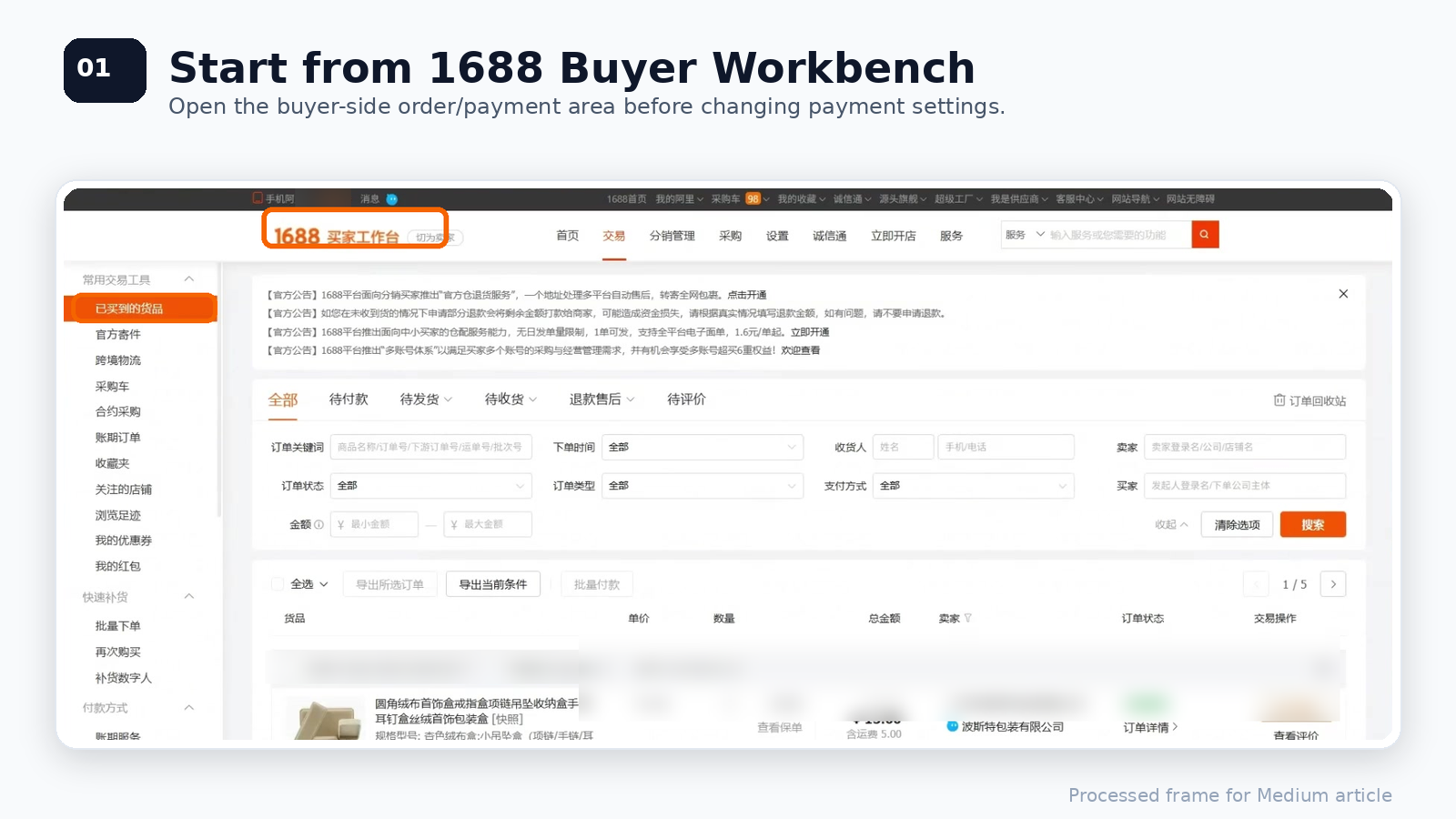
Step 1: Open the 1688 Buyer Workbench
First, log in to your 1688 account and enter the 1688 Buyer Workbench.
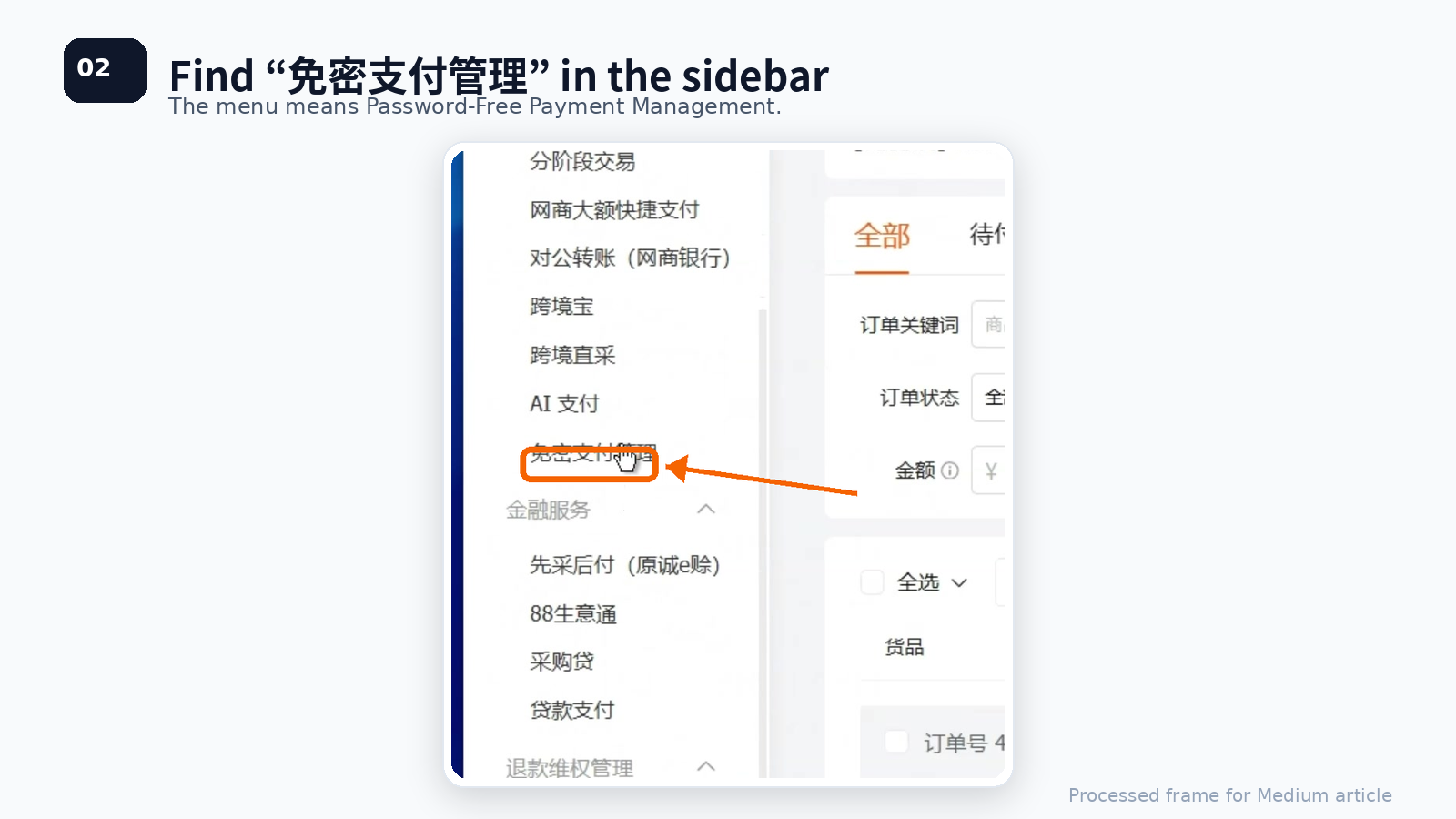
On the left sidebar, look for the payment-related section. In the video, the feature is located under the payment method area.
The Chinese menu name you need to find is:
免密支付管理
This means Password-Free Payment Management.
Step 2: Go to Batch Password-Free Settings
After clicking 免密支付管理, you will enter the password-free payment settings page.
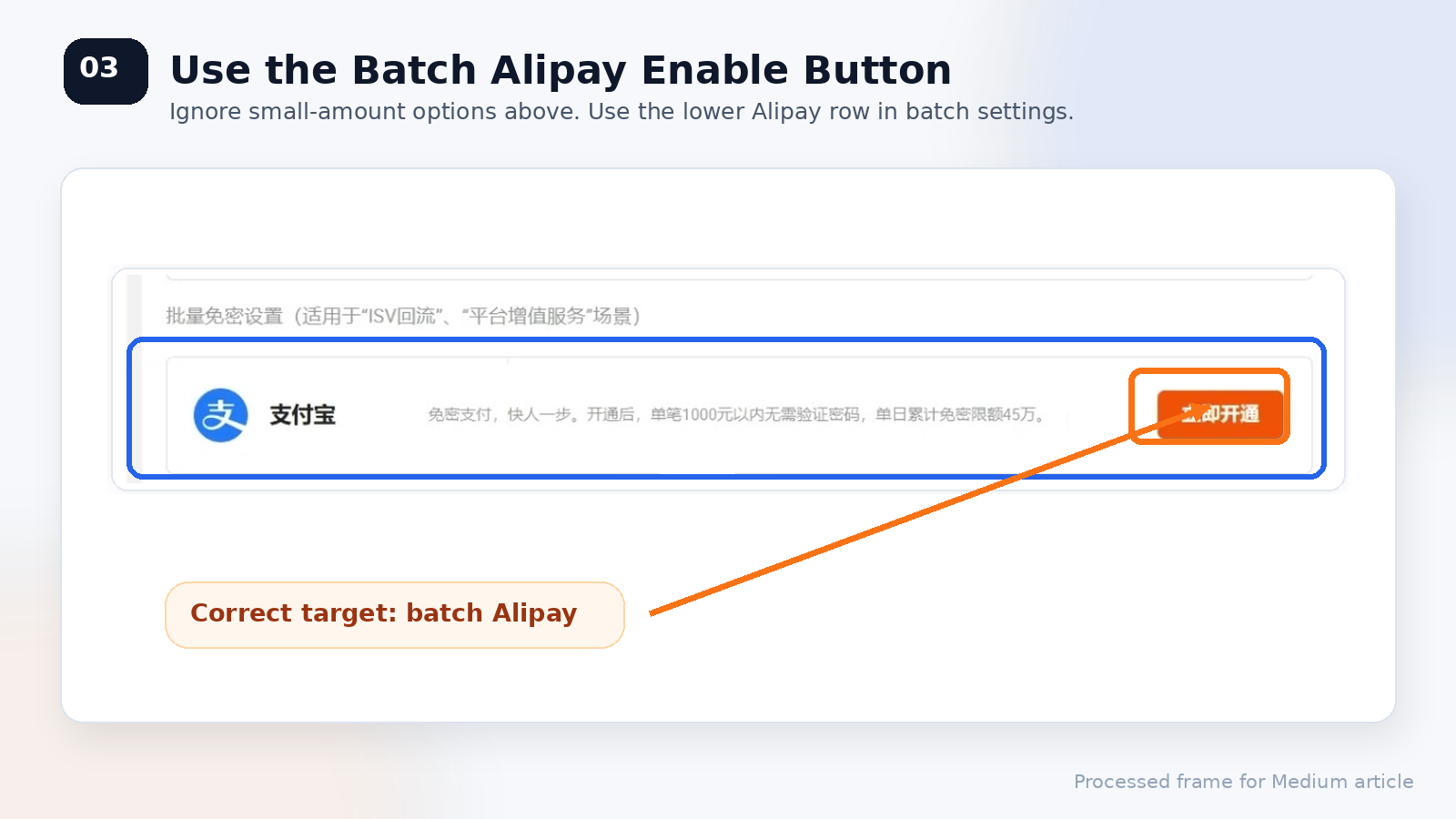
The page may show more than one password-free payment section. For this setup, do not use the small-amount password-free section at the top.
Instead, find the lower section named:
批量免密设置
This means Batch Password-Free Settings.
Under this section, find the Alipay row.
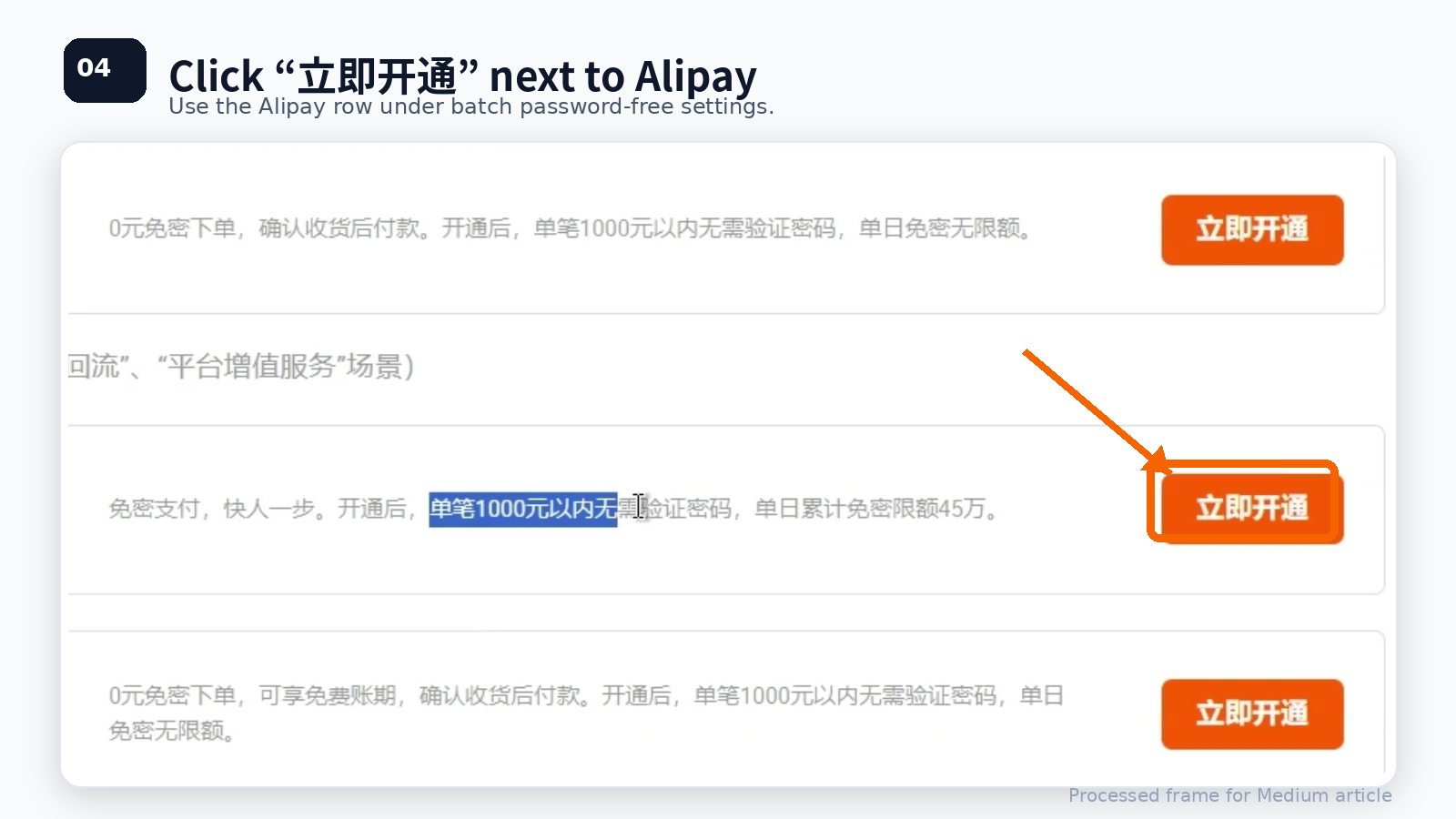
Step 3: Click “立即开通” Next to Alipay
In the 批量免密设置 section, go to the Alipay row and click the orange button:
立即开通
This means Enable Now.
Make sure you are clicking the button next to Alipay under the batch password-free payment section, not the options above.
Step 4: Log in to Your Alipay Account
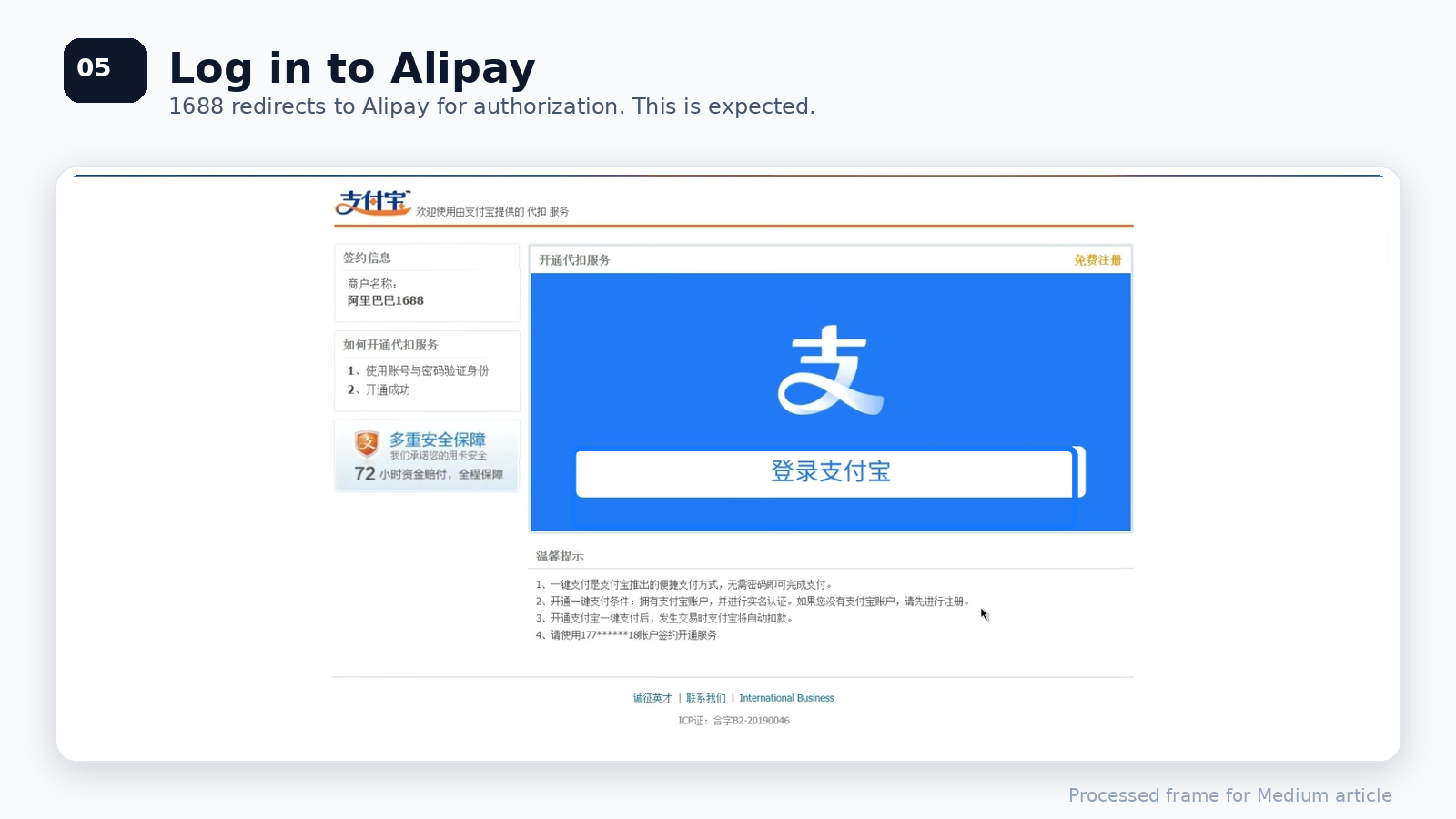
After clicking Enable Now, 1688 will redirect you to an Alipay authorization page.
You may see a large Log in to Alipay button or a QR code login page. Choose the login method that works for your account.
If you are using a business workflow, make sure you are logging in with the correct Alipay account linked to your 1688 buyer account.
Step 5: Enter Your Alipay Payment Password
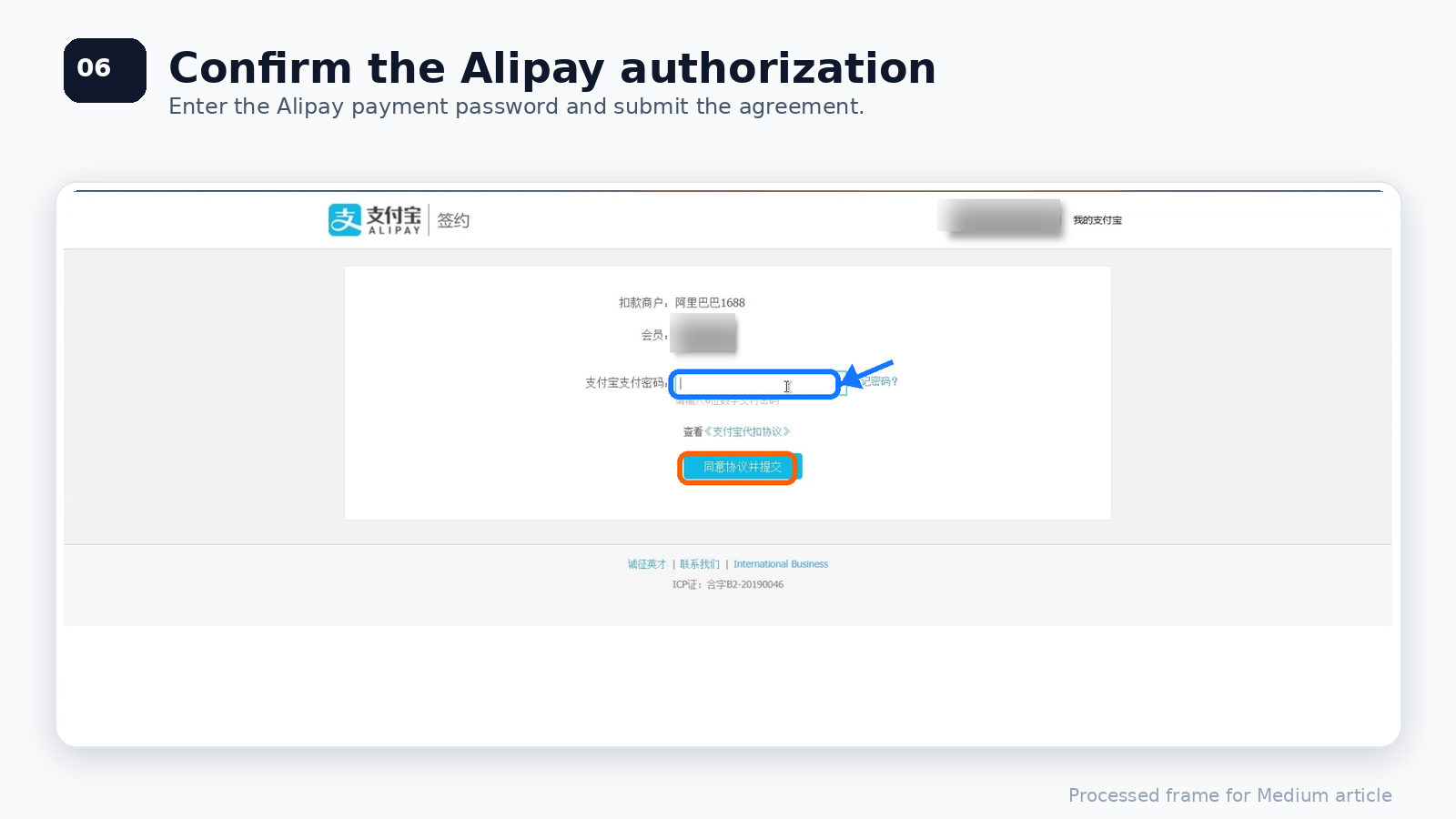
After logging in, Alipay will ask you to confirm the authorization.
You need to enter your Alipay payment password. This is usually the 6-digit payment password used for Alipay transactions.
Then click the confirmation button to agree and submit the authorization.
In the video, the button text is:
同意协议并提交
This means Agree to the agreement and submit.
Before submitting, review the agreement and make sure you understand what account is being authorized.
Step 6: Check the Success Page
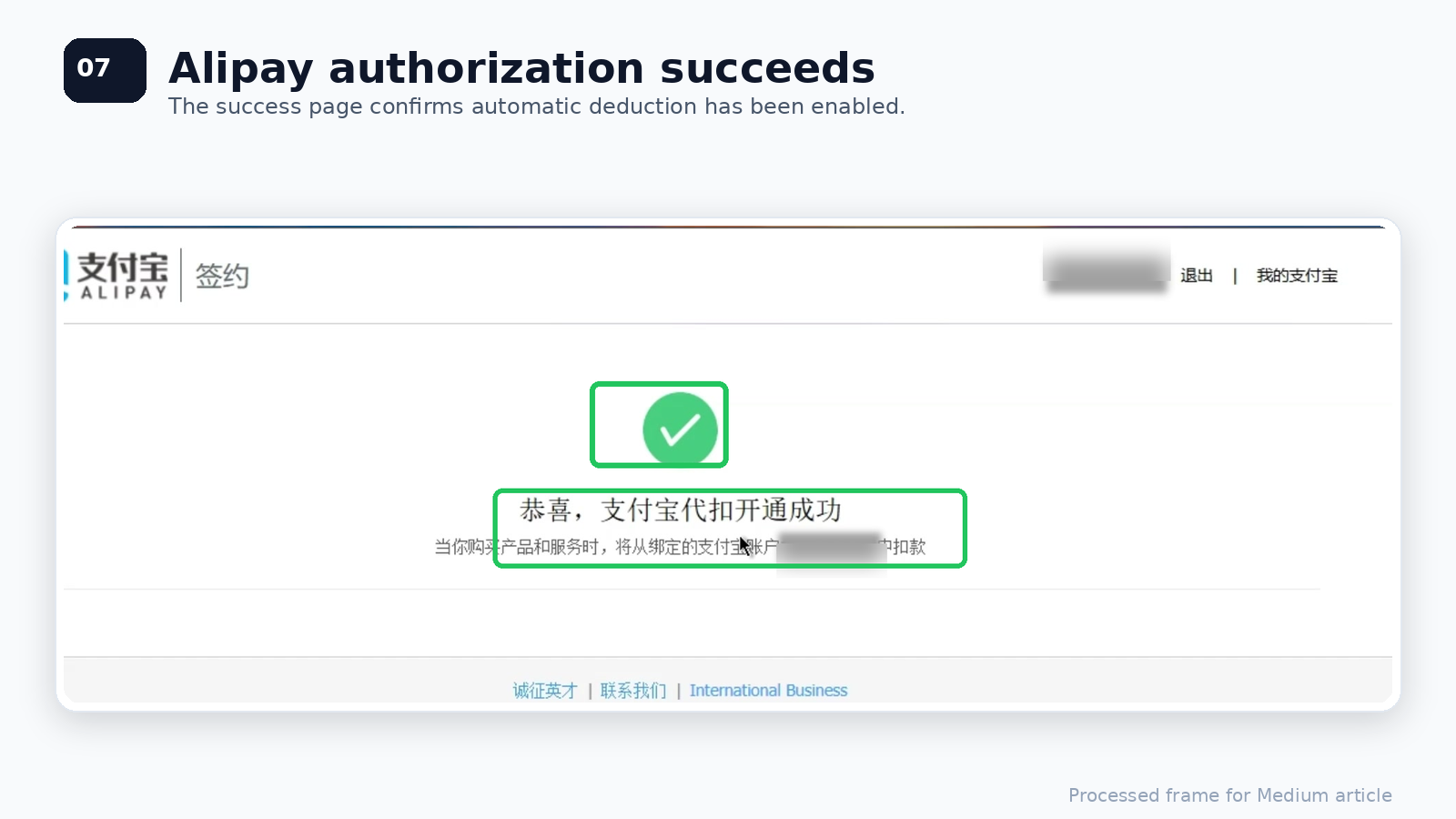
Once the authorization is completed, Alipay will show a success page.
In the video, the page says:
支付宝代扣开通成功
This means:
Alipay automatic deduction service has been successfully enabled.
At this point, the Alipay side of the setup is complete.
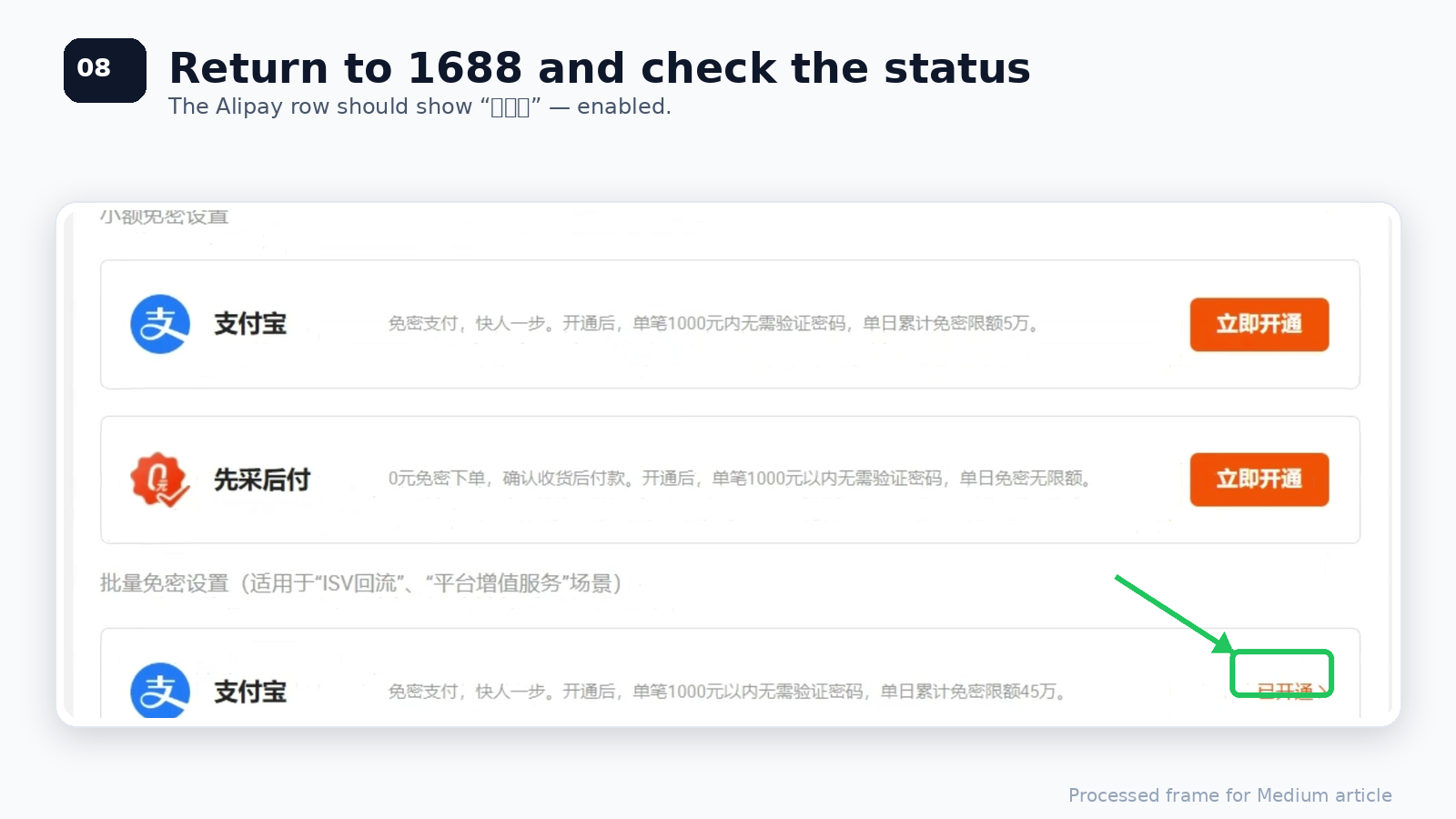
Step 7: Return to 1688 and Confirm the Status
Finally, go back to the 1688 Buyer Workbench.
On the password-free payment settings page, the Alipay row should now show that the service has been enabled.
In the video, the status changes to:
已开通
This means Enabled.
Now your 1688 account can use password-free payment for supported Alipay payment scenarios.
Common Issues
1. I cannot find “免密支付管理”
Make sure you are in the 1688 Buyer Workbench, not the general 1688 homepage.
Check the left sidebar under payment-related settings. If the sidebar is collapsed, expand the payment section first.
2. The Alipay authorization page does not open
Try refreshing the page, switching browsers, or disabling browser extensions that may block pop-ups or redirects.
You can also try logging in to Alipay first, then return to 1688 and repeat the setup.
3. Password-free payment is enabled, but 1688 still asks for a password
This may happen if:
- The order amount exceeds the password-free limit
- The order does not support that payment method
- The Alipay account does not match the 1688 account
- The payment scenario requires extra verification
- The service was enabled for a different payment section
Go back to 免密支付管理 and check whether the Alipay row under 批量免密设置 shows 已开通.
4. Is password-free payment safe?
It can be safe when used with the right account controls.
For company procurement, avoid sharing personal Alipay passwords across the team. Use proper account permissions, payment limits, and regular reconciliation. Password-free payment should improve workflow efficiency, but it should not replace financial control.
Final Thoughts
1688 password-free payment is a small setting, but it can make a big difference for high-frequency buyers.
For sourcing agents, dropshipping teams, and procurement businesses, the main value is simple:
Less manual confirmation.
Faster batch payment.
Fewer stuck orders.
A smoother 1688 purchasing workflow.
If your team buys from 1688 regularly, enabling Alipay password-free payment under Batch Password-Free Settings is one of the first settings worth checking.
See the video guide below: